AI Garden Design Generator: Turn a Photo Into Six Gardens
What a garden generator gets right about planting, what it gets badly wrong — and the one rule that stops it filling your beds with plants that die.
Garden DremiAI: AI Yard & Landscape Design
🌱 What a garden design generator is
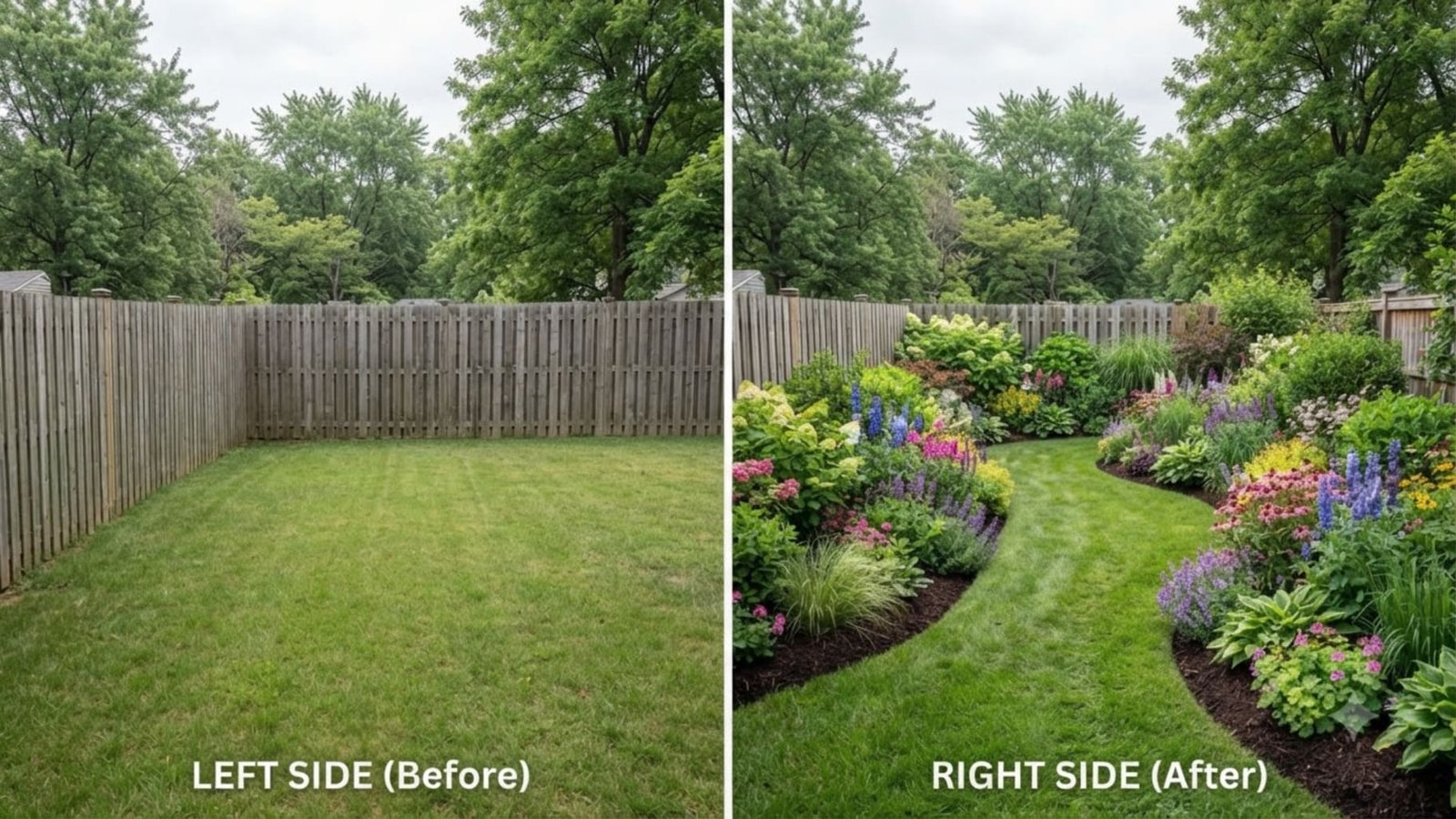
An AI garden design generator takes a photo of your garden and regenerates it with new beds, borders and planting in a style you choose. It returns a photorealistic image in roughly 20 to 30 seconds, and you can generate the same garden a dozen different ways. It is excellent at shape, mood and structure — and unreliable about which specific plants belong there.
That distinction is the whole subject of this page. A backyard is mostly a construction problem — surfaces, levels, furniture. A garden is a biological one. You are not choosing a look, you are choosing several hundred living things that have to survive your soil, your rainfall and your winters. Generators are wonderful at the first job and naive about the second, and knowing exactly where the line falls is what turns a nice image into a garden that is still alive in three years.
🎯 What it generates, and how much to trust each part
| What comes out | Trust it? | Why |
|---|---|---|
| Bed shapes and layout | ✅ High | Geometry against your real boundaries — this is what the model sees best. |
| Style and mood | ✅ High | Loose cottage, clipped formal, dry gravel — the character reads accurately. |
| Planting structure | ✅ Good | Tall at the back, mounds in front, one repeated shape. Sound design logic. |
| Plant types | 🟡 Mixed | “Grass, shrub, small tree” is usually right. The exact family often is not. |
| Named species | ❌ Low | Treat any specific plant name as a suggestion to research, never an instruction. |
| Climate suitability | ❌ Low | Unless a tool asks where you live, it is not checking whether these survive. |
| Season and bloom time | ❌ Low | Renders show everything flowering at once. No real garden does that. |
🎨 Six garden styles worth generating
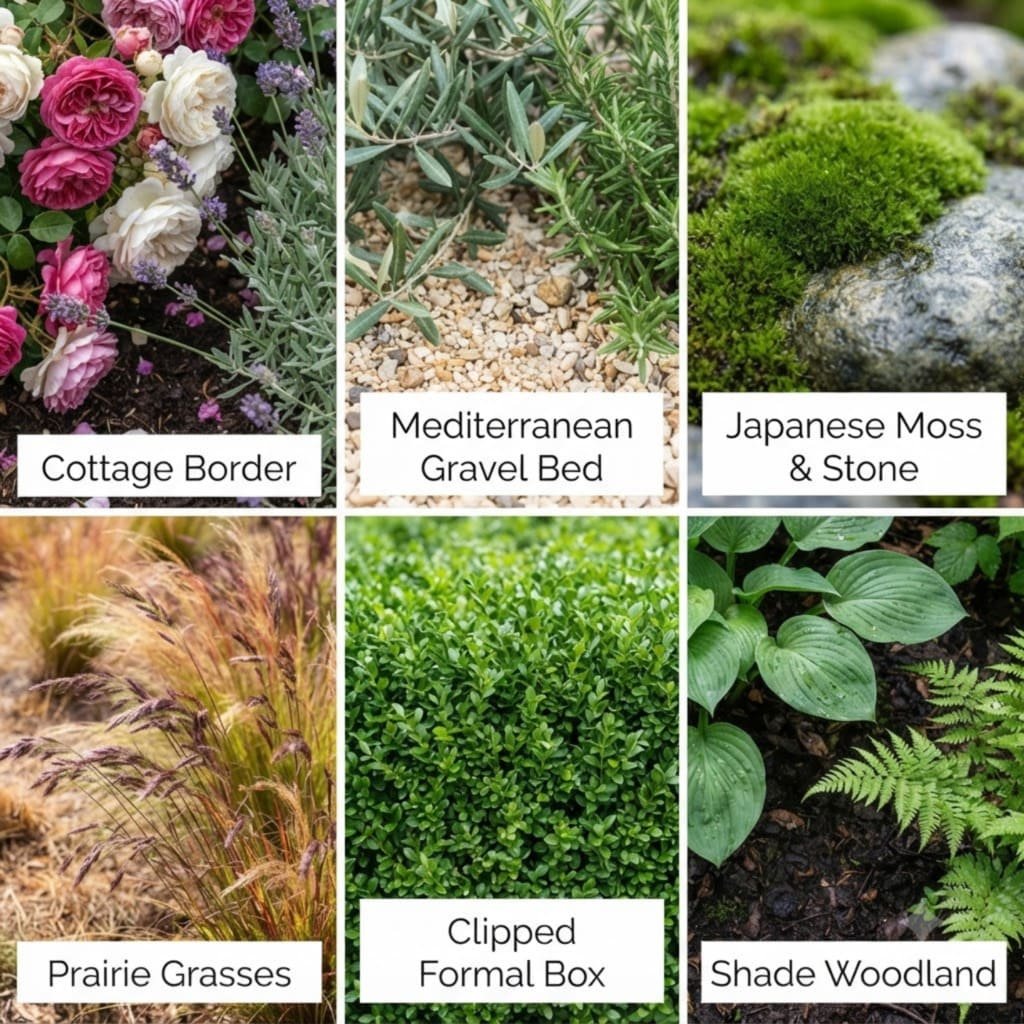
| Style | Planting signature | Water | Upkeep |
|---|---|---|---|
| Cottage | Dense, mixed, self-seeding, no bare soil visible | Medium–high | High |
| Mediterranean / dry | Silver foliage, gravel mulch, aromatic shrubs, spaced | Low | Low |
| Japanese | Few species, moss, stone, one specimen tree | Medium | Medium–high |
| Prairie / naturalistic | Grasses and repeated perennials in drifts | Low–medium | Low (one cut a year) |
| Formal | Clipped hedging, symmetry, restrained palette | Medium | High |
| Woodland / shade | Layered greens, ferns, texture over flower | Medium | Low |
🔄 The rule: keep the shape, swap the plant
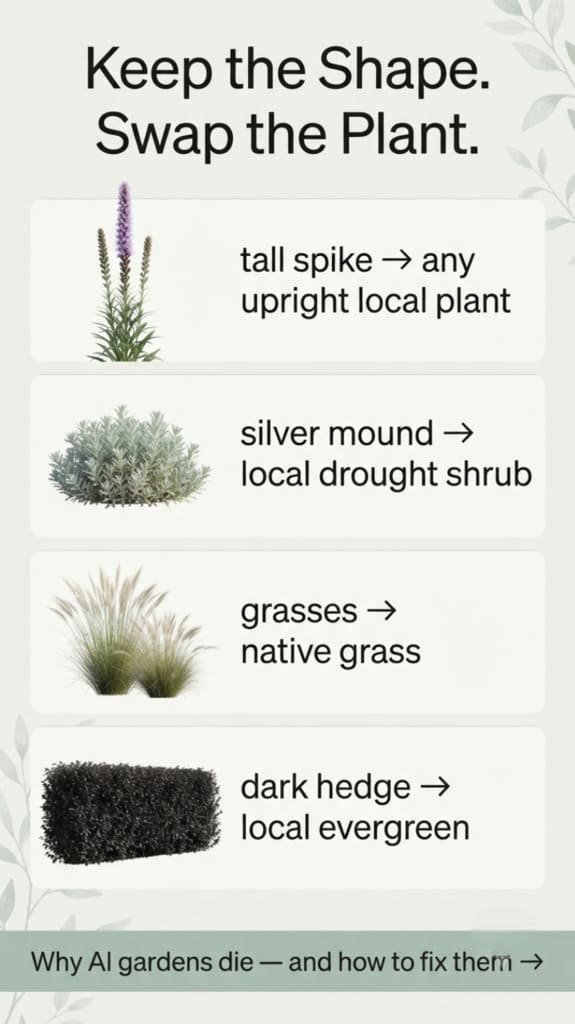
Here is the single most useful habit when working from a generated garden. Every plant in the image is doing a job — height, texture, movement, a full stop at the end of a border. The job is the real design decision. The species is interchangeable. So identify the job, then find something local that does it:
| What you see | The job it is doing | What to buy instead |
|---|---|---|
| A tall spiky accent | Vertical punctuation, an eye-stop | Any upright plant that thrives locally at that height |
| A silver-grey mound | Texture contrast, softening an edge | A local drought-tolerant shrub with pale foliage |
| Waving ornamental grasses | Movement and winter structure | A native grass — almost always better and cheaper |
| Dark evergreen backdrop | Depth, and a frame for everything else | Whatever evergreen hedges reliably in your area |
| A mass of one flower | Repetition, calm, a colour block | Any local perennial you can plant in threes or fives |
Take the generated image to a local nursery and ask that exact question — “what grows here that does this job?” Independent nurseries answer it happily and well, and they know things about your area that no model does.
📅 A garden is never finished on the day you build it
This is the difference between a garden and a patio, and it is the part generated images hide completely. A render shows one perfect moment. A real planted border moves through three:
- Year one — sparse. Bare soil between everything, and it looks nothing like the picture. This is correct. Resist the urge to plant closer; overplanting now costs you twice later.
- Year three — right. Plants touch, the soil disappears, the shapes read as intended. This is the year the render finally comes true.
- Year five — crowded. Something is bullying its neighbours. Editing a garden is a normal part of owning one, not a sign you got it wrong.
Which is why the design is the easy half. Knowing what each plant is, when it wants water and when to cut it back is what actually gets you from year one to year three. For the broader picture on outdoor spaces, see the guide to AI backyard design.
📱 Generate the garden, then keep it alive
Garden DremiAI does both halves, which is unusual. Upload a photo of your garden and generate it in as many styles as you like, in about thirty seconds each — your real space, your real boundaries. Then point the same camera at any plant, in your garden or at the nursery, and the app names it and gives it a simple watering and feeding plan.
That second half is the one that decides whether your garden reaches year three. Identify what you already have, learn what you are about to buy, and keep a short daily checklist instead of a spreadsheet. Free on iPhone and Android — first design and first plants free, no account needed.
Read next: the full AI backyard design guide · before and after from one photo · 4 ways to design a backyard online
❓ FAQ: AI garden design generators
Q: Is there a free AI garden design generator?
A: Most tools have a free tier — usually a set number of generations, sometimes a watermark or a locked download. Garden DremiAI is free to download with your first design free and no account required.
Q: How is a garden generator different from a yard design app?
A: Mostly emphasis. Yard tools lean toward surfaces, patios and structures; garden generators lean toward beds, borders and planting. The same photo works for both — what changes is what the result concentrates on.
Q: Will the plants it suggests actually grow where I live?
A: Not necessarily, and this is the main weakness. Unless a tool asks for your location or climate zone, assume it is choosing plants for how they look. Keep the shapes, verify every species locally before buying.
Q: Can it generate a garden design from a photo of a small space?
A: Yes, and small gardens often produce the clearest results, because the whole space fits in one frame. Courtyards, side returns, balconies and single borders all work.
Q: How many designs should I generate?
A: Six from the same photo, at minimum. One image is a mood. Six is a decision — and the winner is very often a style you would never have searched for.
Q: Can I get a planting plan or a shopping list from it?
A: Not a reliable one. A generator gives you structure and character, not quantities or species. For a real planting plan with a plant list, you want a garden designer or a nursery — bring the generated image with you.
Q: Why does my real garden look nothing like the render?
A: Almost always because it is year one. Renders show mature planting, roughly three to five years grown, all flowering simultaneously. Sparse beds and visible soil in the first summer are exactly what a correctly planted border looks like.
🧑💻 About the Author
Garden DremiAI — AI yard design & plant care
Written by the maker of Garden DremiAI, an independent studio. The plant-identification half of the app exists because of the exact gap described on this page: generators are confident about species and should not be, and a homeowner holding a beautiful render still needs to know what they are actually buying.
Questions: support@gardenyarddesign.com